Aseprite Shading Plugin — Pixel Shade
A downloadable extension for Windows
Shape your pixels with shadow and light.
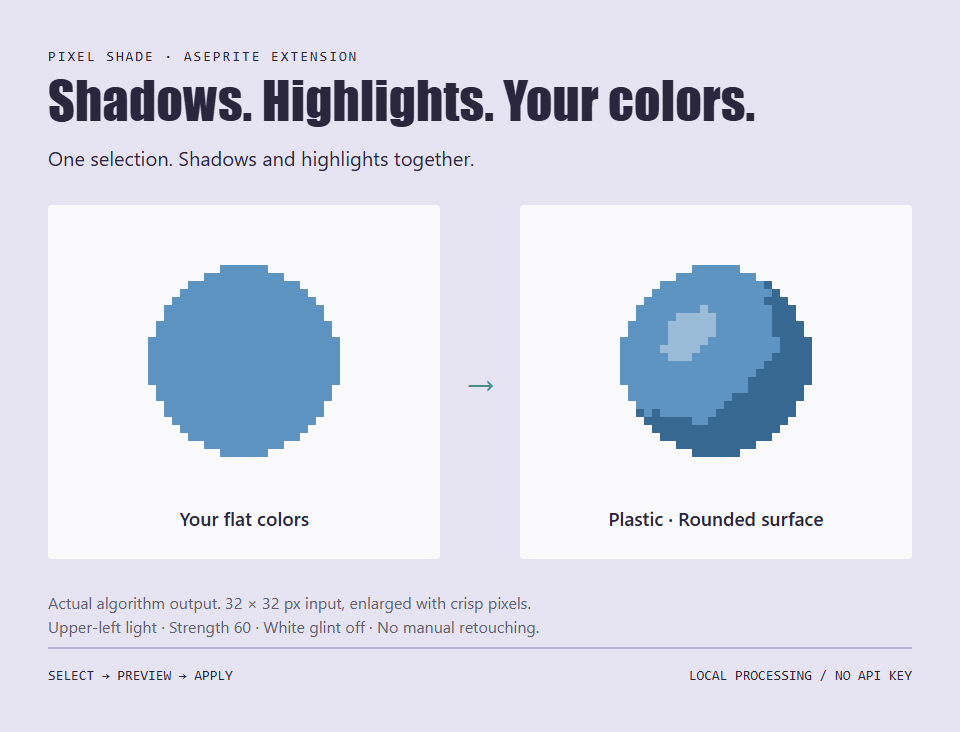
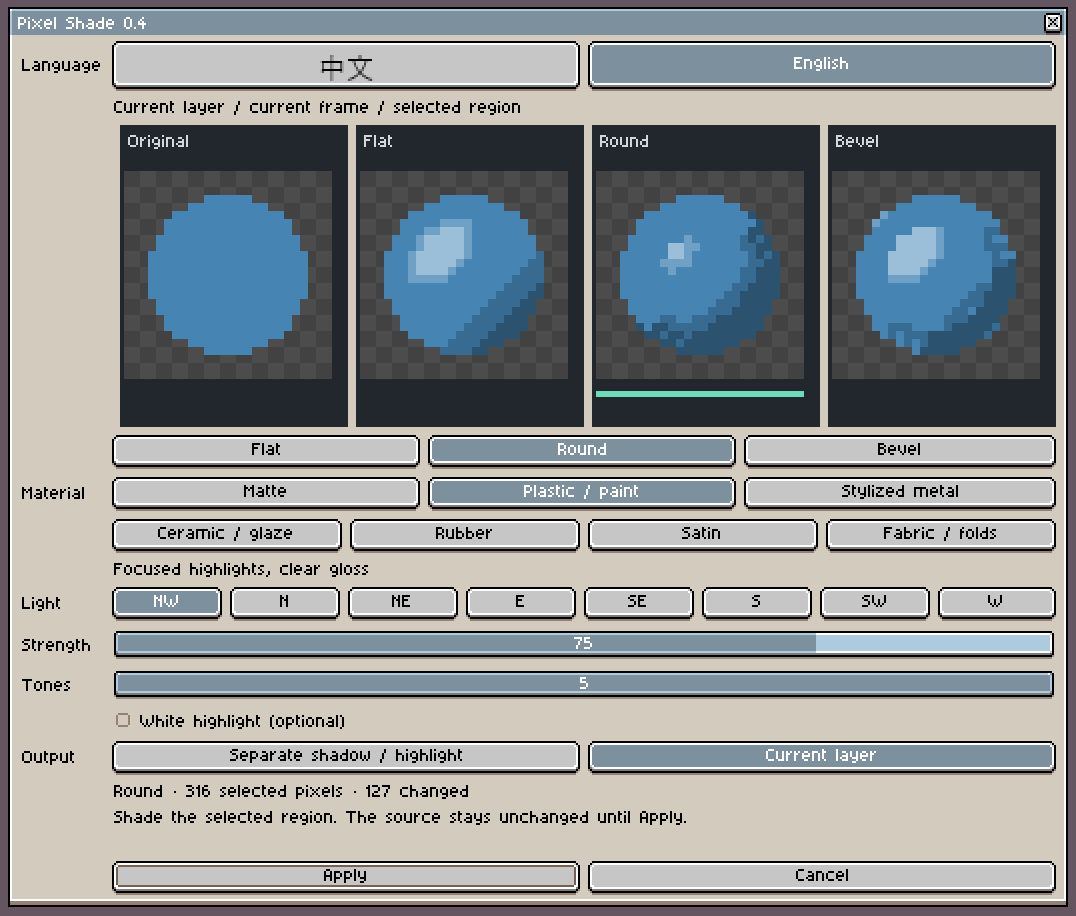
Pixel Shade is an offline Aseprite extension for shading small pixel-art props and icons. Select a whole object, compare surface candidates, and apply shadows and highlights together. Try different lighting styles while keeping the work inside Aseprite.
7 material styles · 3 surface candidates · 3–5 tones · English + Chinese · No API key
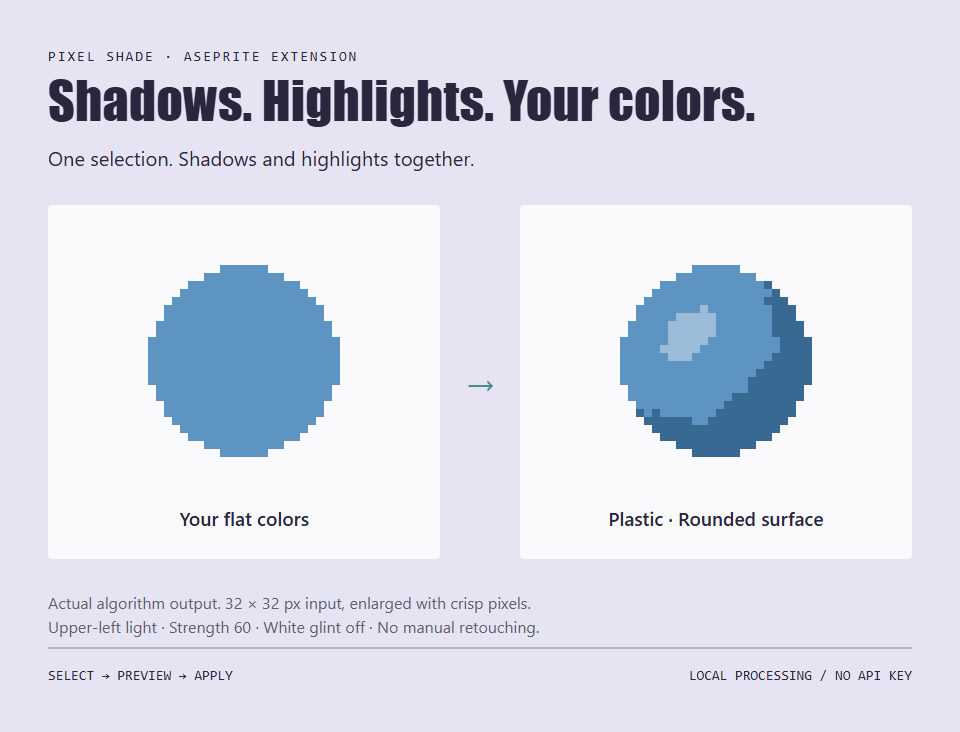
Your colors. A few deliberate shades.
Choose 3, 4, or 5 tones per source color, including the original color. Keep broad, simple blocks with three tones or add intermediate transitions with four or five. Adjust the light direction and contrast, compare Flat, Round, and Bevel candidates, then choose the result that fits your artwork. An optional white glint replaces the brightest tone.
The original and all three candidates appear when the tool opens with a valid selection. Preview changes without writing to your artwork.
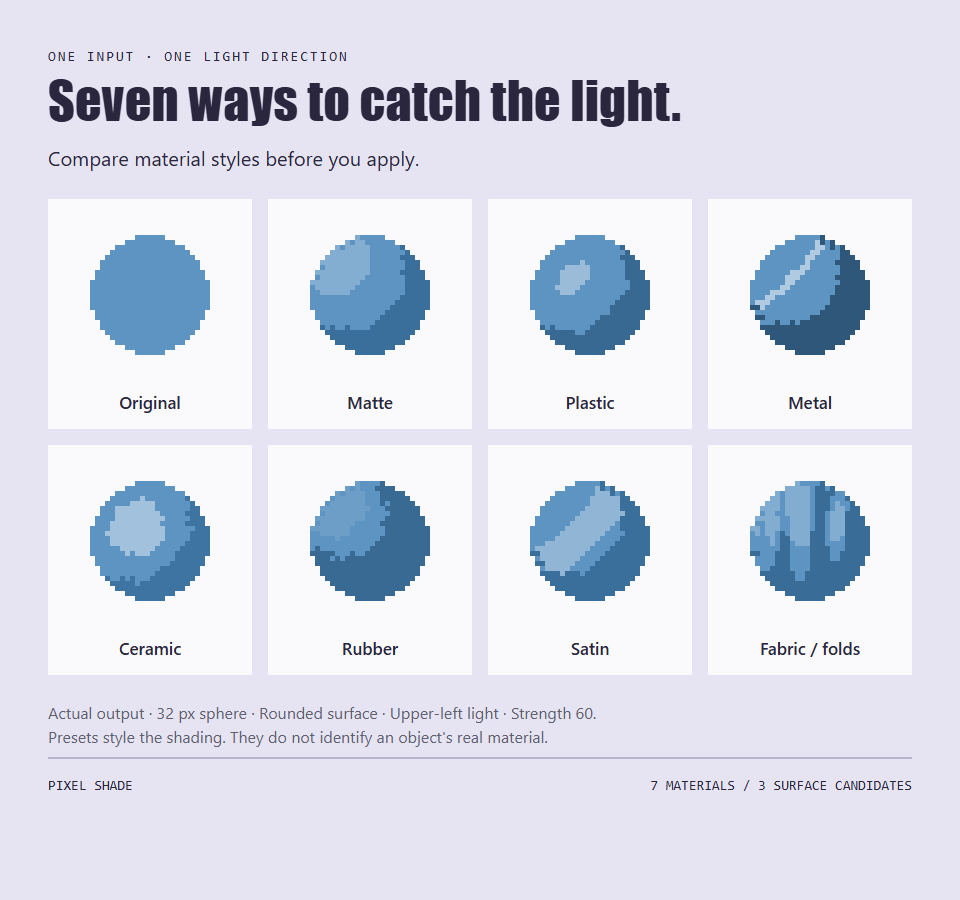
Choose how the surface catches light.
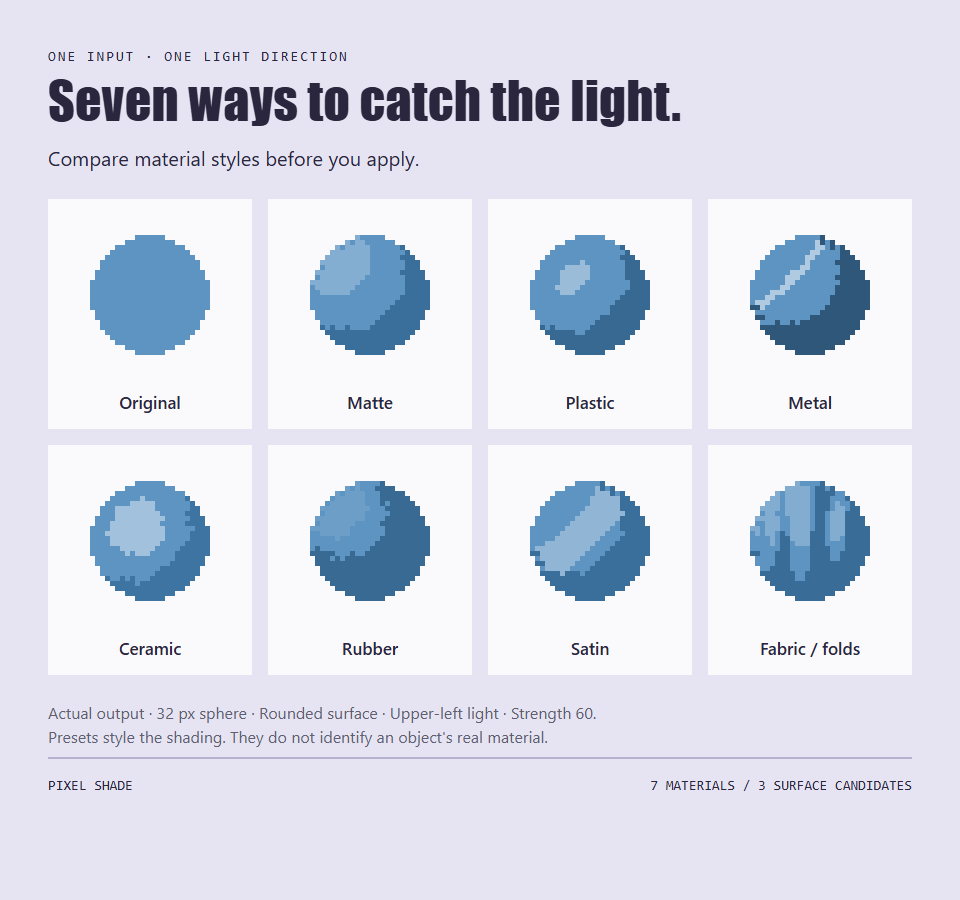
- Matte: broad, gentle highlights.
- Plastic / paint: a concentrated bright spot.
- Stylized metal: narrow light bands and stronger contrast.
- Ceramic / glaze: a wider glossy highlight.
- Rubber: deeper shadow areas and subdued highlights.
- Satin: a broad, elongated light band.
- Fabric / folds: experimental, repeating folds for a stylized cloth texture.
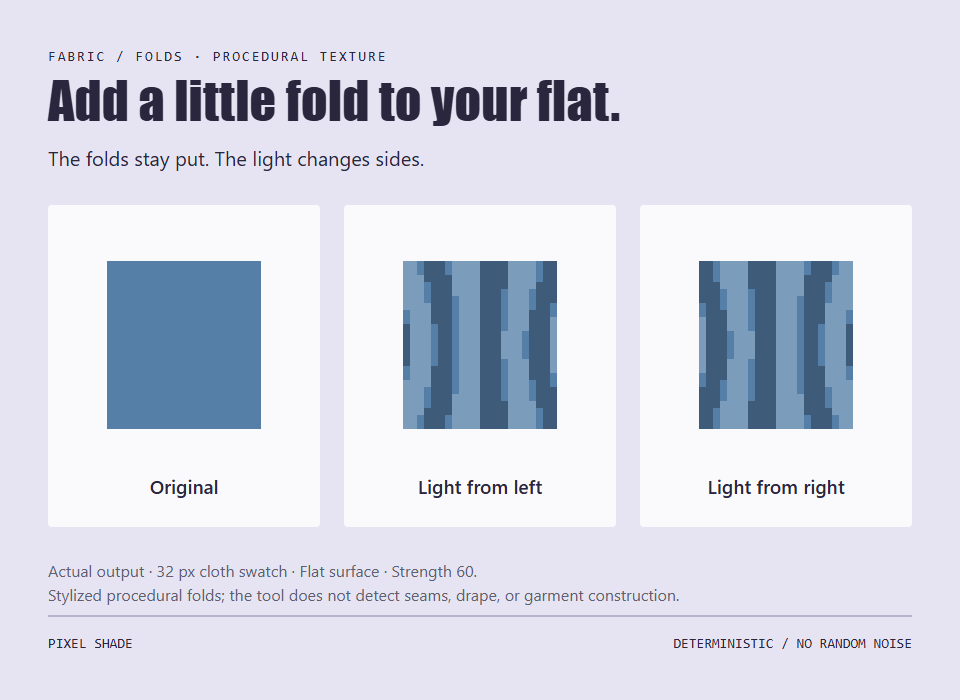
An experimental cloth texture option.
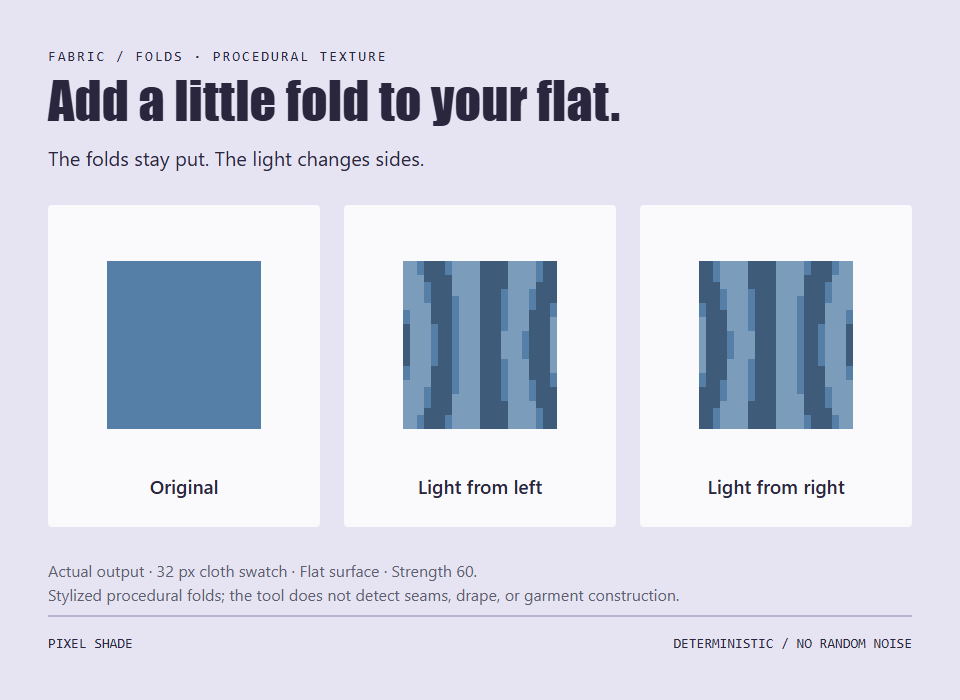
Fabric adds low-frequency procedural folds that stay in place as the light changes. Fold density adapts to the size of the selected object. Its regular stripes and narrow bright fragments may need cleanup. It does not infer seams, garment construction, or realistic drape.
Select. Compare. Apply.
- Select the whole object. Open an RGB/RGBA image, select its pixel layer, and press M to draw a selection around the object.
- Compare the previews. Open Edit → Pixel Shade. Pick a material, surface, light direction, strength, and tone count.
- Apply where you want. Write to the current layer, or use separate shadow and highlight layers. One application is one undo step.
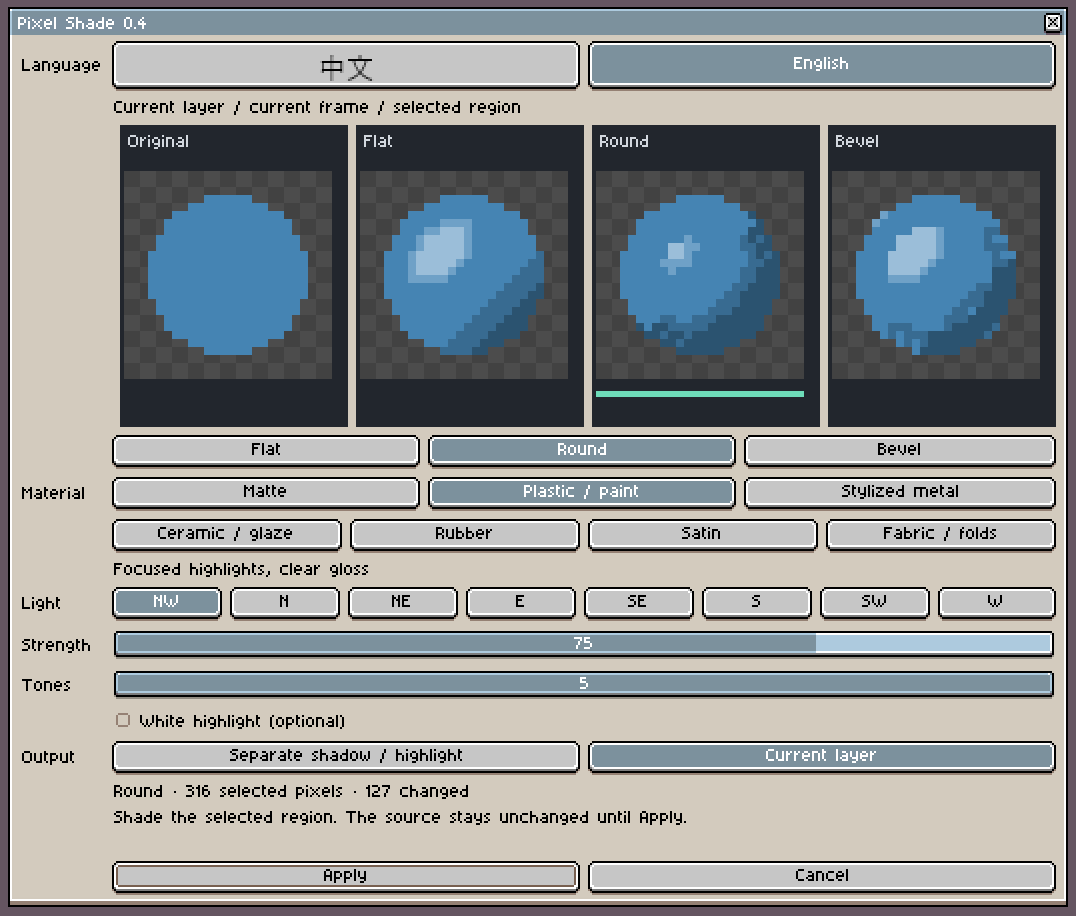
Switch between English and Simplified Chinese in the plugin window. Your language choice is remembered. No selection? The tool asks you to select a region first.
Stays in your local workflow.
- All shading runs locally. No account, cloud upload, AI model, subscription service, or API key is needed to run the plugin.
- Pixels outside the selection and the transparency boundary are preserved.
- Cancel leaves the artwork unchanged. Material and lighting settings carry over after a successful application.
- Generated effect layers can be redone locally without changing other selected areas. Hidden effect layers are left alone.
Before you use it
Current version: 0.4.0, an early prototype. Best suited to small, mostly flat-color props and icons. The examples here are unretouched algorithm output from simple test sprites, enlarged to show individual pixels. The header is a conceptual brand illustration.
- Requires Aseprite 1.3 stable or newer. Aseprite is a separate product and is not included. Runtime tested on Windows with the locally compiled Aseprite 1.3.18.6-dev / API 41. macOS and Linux have not been runtime-tested.
- Current frame, RGB/RGBA pixel layers. Indexed-color images, tilemap layers, reference layers, and whole-animation processing are outside this version's scope.
- Separate-layer output requires fully opaque affected pixels, normal blending and full layer/cel opacity, compatible parent groups, and no nonzero cel Z offsets in the frame. Use current-layer output for semitransparent artwork.
- Shape approximation. The tool does not identify a box's individual faces, preserve outlines automatically, cast ground shadows, or understand existing shading. Complex shapes may need manual cleanup.
- No locked-palette guarantee. New tones are derived from the source colors. The chosen limit of three, four, or five tones applies to each source color, not the whole image. Very thin parts may receive fewer tones.
- Each selection is an independent edit. Changing light later does not relight earlier applications automatically. The current cel limit is 262,144 pixels.
Installation
Download the extension file directly, or unzip the Starter Kit for the extension, English and Chinese guides, and 22 practice images.
- In Aseprite, go to Edit → Preferences → Extensions → Add Extension and choose pixel-shade-0.4.0.aseprite-extension.
- Enable it and restart Aseprite.
- Open your image, make a selection, then use Edit → Pixel Shade. Choose your interface language at the top of the window.
Pixel Shade is an independent extension and is not affiliated with or endorsed by Aseprite.
Download
Click download now to get access to the following files:
Development log
Leave a comment
Log in with itch.io to leave a comment.